
Anyone who has worked on a cross-border deal will know that signing doesn’t look the same everywhere. US deals are almost always signed in counterpart, with each signatory signing their own signature pages, which are then collated into the execution version. A lot of European deals are signed as a whole document, with every party signing the complete agreement, and often with qualified electronic signatures. The UK does both, sometimes on the same deal, with the main agreement going round on DocuSign and the board minutes and ancillaries done the traditional way.
Most signing tools are built around one of these, usually the US one. That’s fine if every deal you do is a US deal. It isn’t much use to a firm with teams in New York, London and Frankfurt who’d like everyone to work the same way.
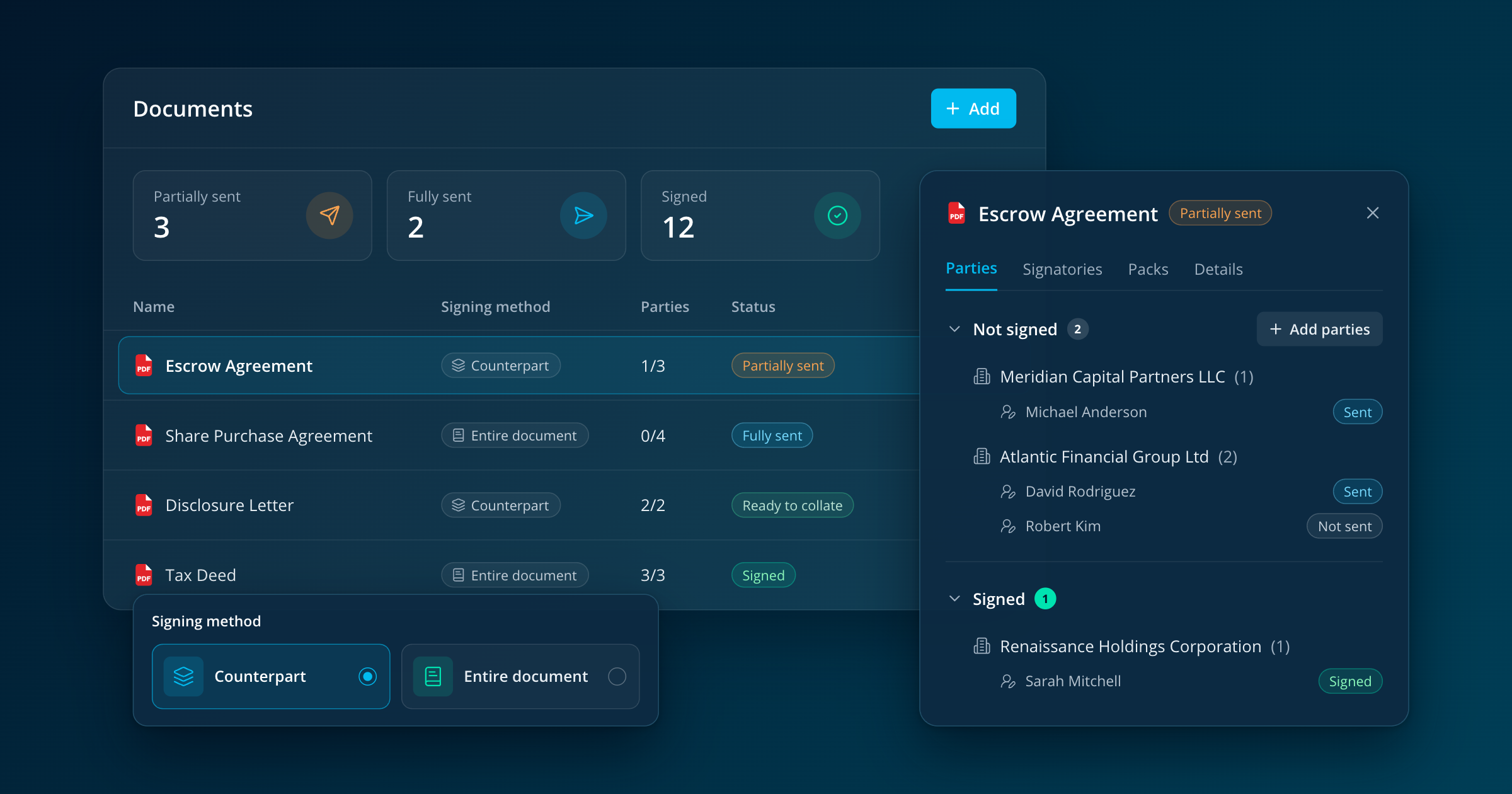
Legatics handles both. You set the signing method on each document. Counterpart documents go into a pack for each signer, containing their signature pages or the full documents they’re signing, and the pack goes out through DocuSign or is downloaded for wet ink. Documents signed as a whole go to every signatory together in a single DocuSign envelope. Both sit in the same matter, with the same tracking, and when you collate you can add date-signed annotations in UK or US format.
Setting things up once
Most of the time on a signing goes on setting things up and then setting them up again when the deal moves, so a lot of the new signing is about doing things once.
Every entity and person on the matter lives on the signers page, added by hand, along with a record of who’s authorised to sign for which company. When you add a document you pick the parties and Legatics suggests the right signatories. If you know an entity needs two signatures but don’t yet know whose, you add placeholders and fill in the names later, which is how it goes on most deals.
Legatics uses AI to find the signature pages in each Word or PDF document, so the job is checking it has picked the right ones and saying who signs each page, and that can be done as soon as you’ve got a late draft rather than waiting for the execution version to land the night before. When a new version of a document is uploaded the parties and signatories carry over, and you check the signature pages and save them again, since page numbers have a habit of moving between drafts. We’ve built this around extracting pages from the documents the lawyers drafted, because that’s how signature pages get made in practice, and it means the pages your signatories receive are the ones that will end up in the execution version.
Packs are built for each entity or person, and for each pack you choose whether the signer gets their signature pages or the full documents. You can create packs for several signers in one go, and leave them in draft until they’re right, so they can be prepared early and checked by whoever needs to check them before they go out. A signature pages pack can go out while the documents are still in draft, which is how a lot of US deals are run, and when the final versions are agreed the signed pages are matched back to them at the end.
Each pack can go by DocuSign or be downloaded for wet ink, and that choice is made signer by signer. On most closings there’s at least one signatory who won’t or can’t e-sign, and previously that meant the whole document went the old way. Now the people who are happy to use DocuSign can, the others sign on paper, and when everything is back the signed pages from both are collated into one execution version.
Once the packs go out
When a pack goes to DocuSign, Legatics creates the envelope in your firm’s own DocuSign account, so your settings, your reporting and your records stay where they are. You place the signature tags and send it from DocuSign, as you would now, and from then on the status comes back to Legatics on its own, along with the signed documents, the certificate of completion and the envelope history. Where the signature pages have been tagged, the pages signed through DocuSign are matched back to the right place in each document automatically. If DocuSign reports a problem, say a signer has declined or failed authentication, the pack tells you what’s happened. Wet-ink packs download as a single PDF with an index, and when the signed pages come back you upload them to the pack and match them to the right document, party and signatory.
Every document, party, signatory, entity, person and pack has a status, and they all build up from the individual signatories. In practice that means a partner can open the matter and see which party is outstanding on which document without having to ask anyone, and the person running the signing gets a notification when a pack is sent, signed or needs attention.
When everyone has signed, you collate. Collation only becomes available once every signatory on a document has been named and has signed, so an incomplete execution version can’t be put together by mistake, and once it’s done the document is marked as signed, with the DocuSign evidence kept alongside it. You can download the signed documents one at a time or all together.
If you already use Legatics
Deals that are already being signed in Legatics carry on as they are until they’re finished, and new matters use the new signing section from the start, so nobody has to switch over in the middle of a closing. If you’d like to see it on one of your own deals, ask your Legatics contact for a walkthrough, and bring along whoever on the team usually ends up running the signing, because they’ll have the best questions.
Ready to see our new signing?
Legatics has rebuilt signing as its own module, inside the matter where your deal team already works. In this 30-minute webinar, Rob MacAdam, Chief Product and Strategy Officer, walks through a signing from first draft to signed document. He covers how signing practice differs between the US, the UK and Europe, and how to run each of them in one place.
What you’ll see
- How to set up every entity and signatory once and reuse them across the deal
- How to send signature pages early while documents are still in draft
- How some signers can use DocuSign while others sign on paper, on the same document
- How to use your firm’s own DocuSign account, with the envelope history kept alongside the deal
- How partners can see who hasn’t signed without asking the team
- How the signed documents end up in the same matter as your checklist and closing binder