Put your AI to work on live transactions

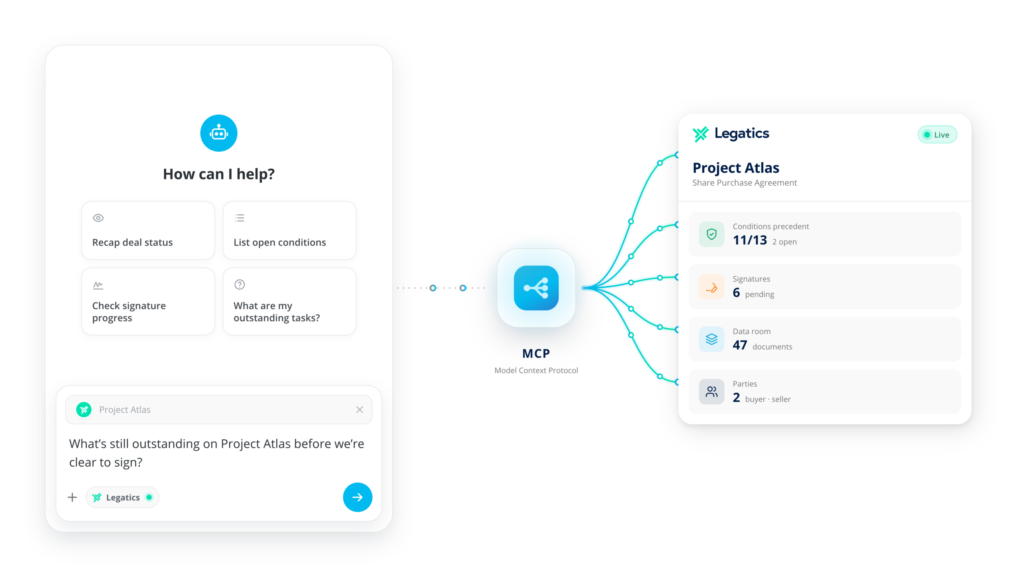
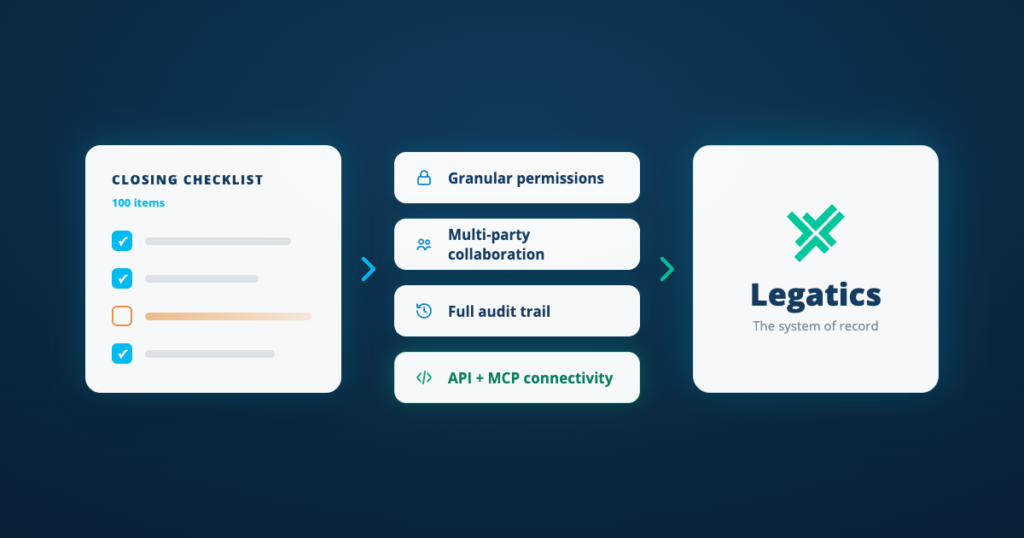
Connect any MCP-compatible AI assistant to Legatics so it can check matter status, review what is outstanding before closing and update the transaction directly, all within your existing permissions and controls.

Common challenges

Deal context is scattered across email and drives, costing hours.
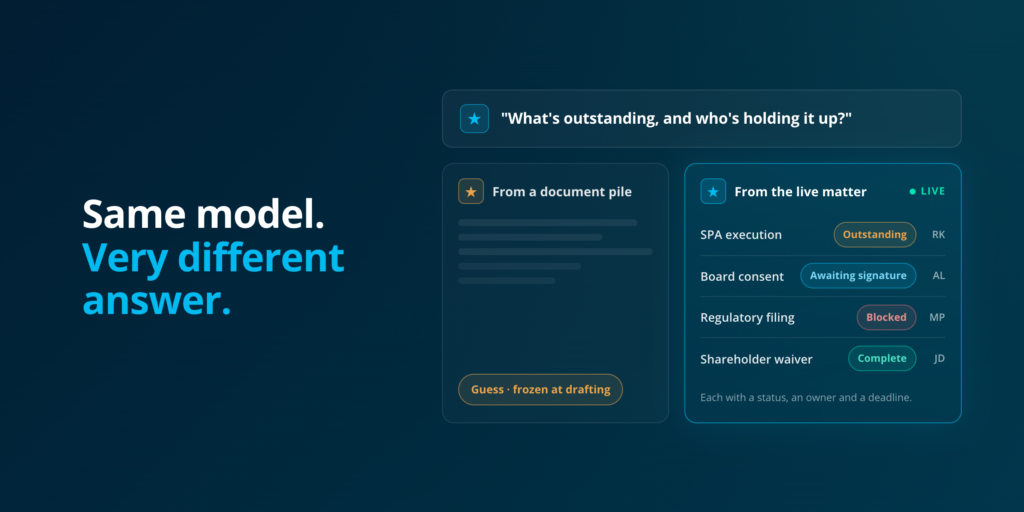
General AI tools can't answer questions about your actual matters.
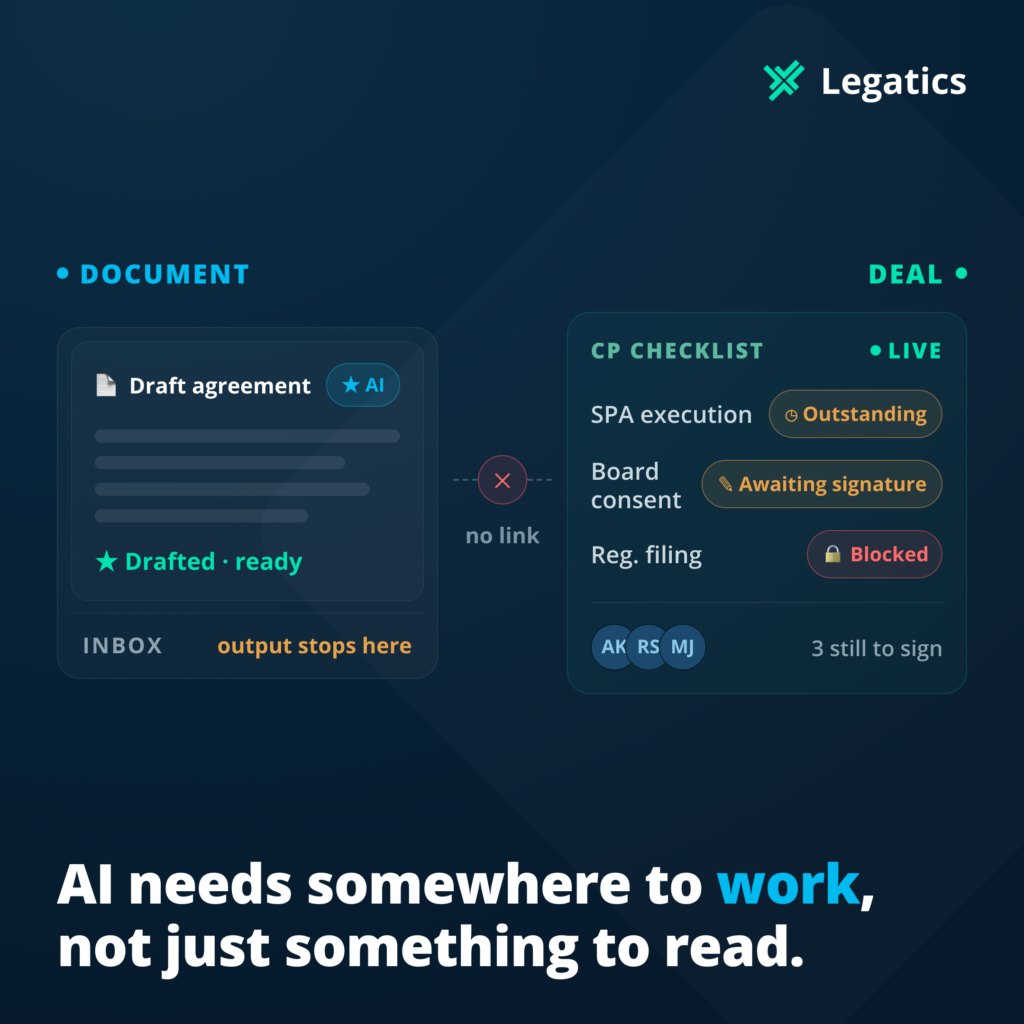
AI knows what needs updating, but someone still has to do it by hand.

How Legatics helps

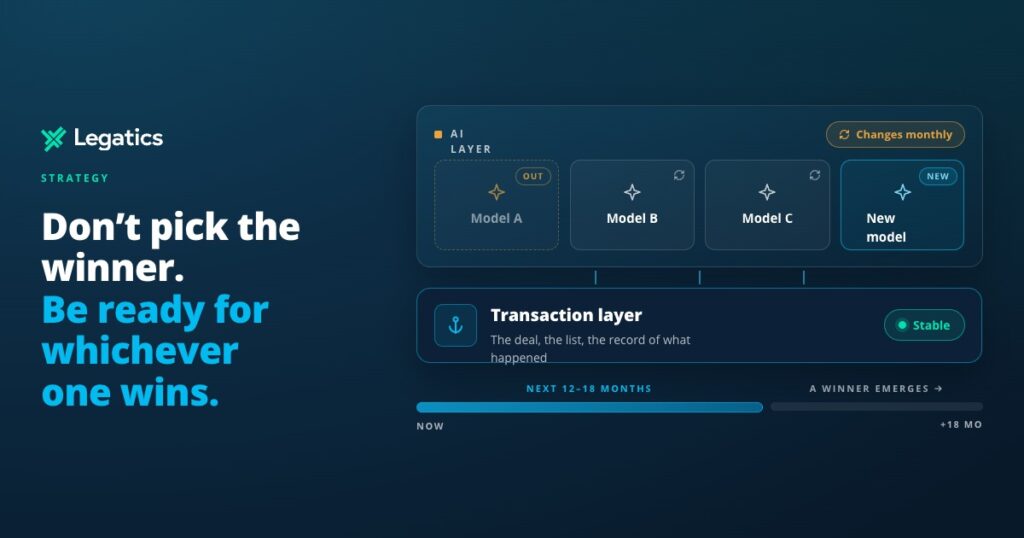
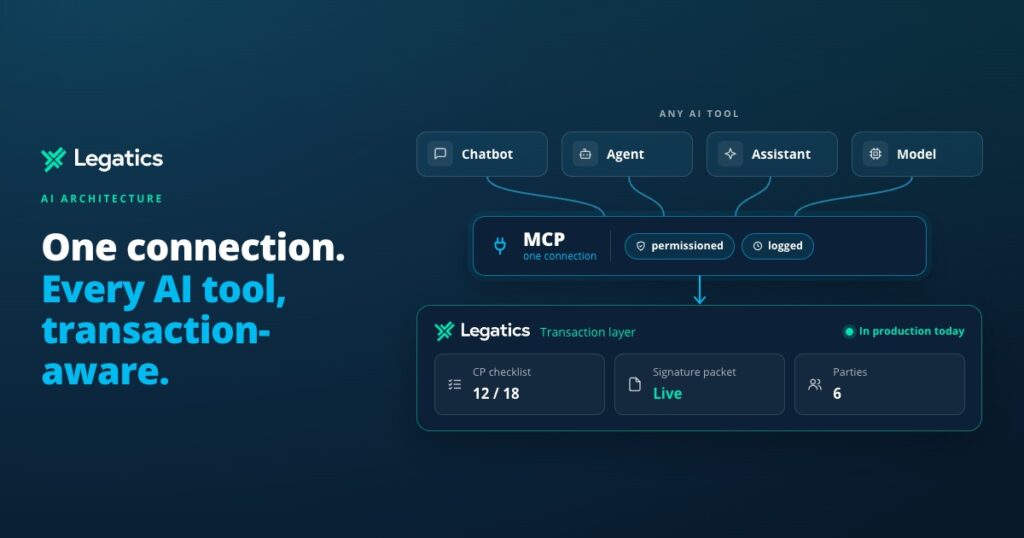
Works with any MCP-compatible AI tool, with no vendor lock-in.
Your AI can check where a deal stands and update it directly.
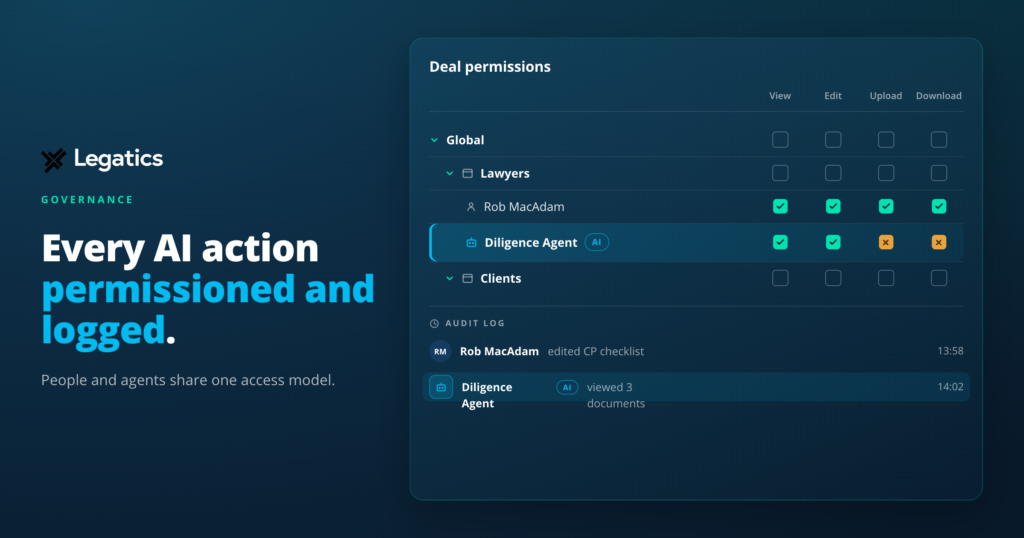
Access follows permissions and is logged and revocable at any time.

AI can't help on a deal it can't see or touch

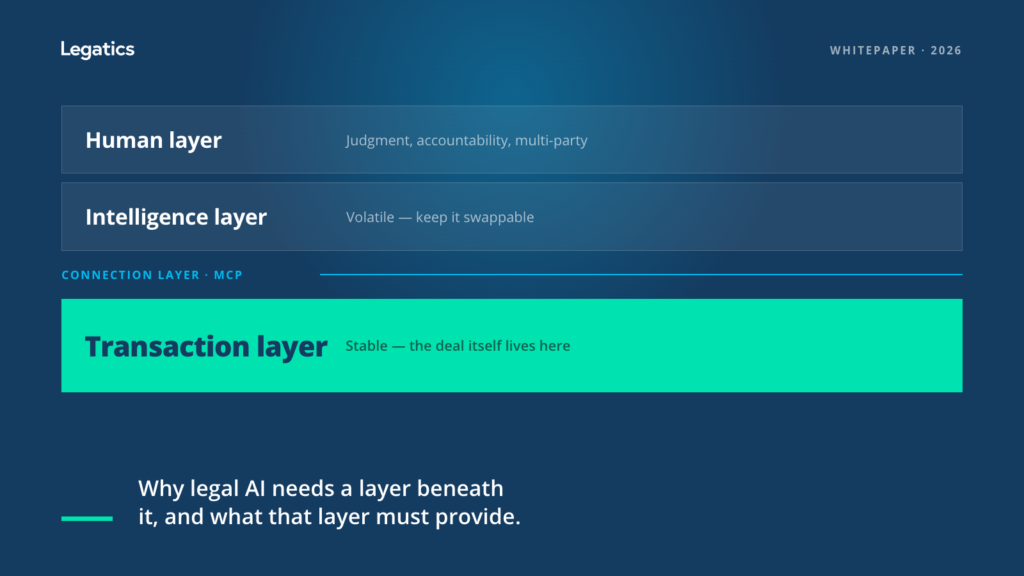
Most AI tools can answer general legal questions, but can’t see where your matters stand or update them. Legatics gives your AI a structured, current view of each deal and lets it act on it directly.

Book a demo

Your AI, working inside the deal

Legatics gives your AI live, structured access to read and update the deal.

Query matters in real time

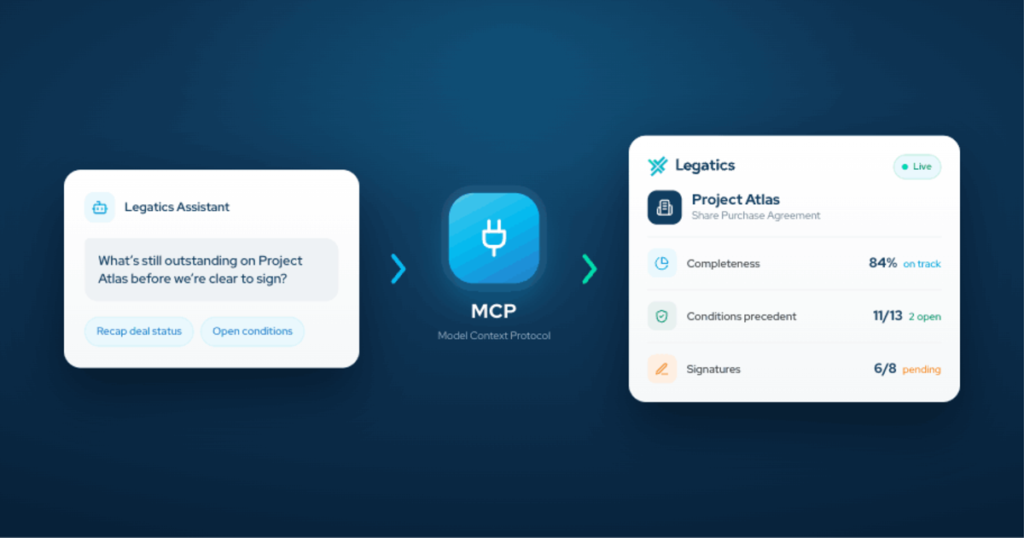
Ask your MCP-compatible AI assistant about deadlines, conditions or outstanding items, and get answers pulled straight from live matter data.

Update the matter directly

Let your AI assistant create lists, update checklist items, add comments and reassign responsibility, with every change appearing in the live matter.

Keep full audit visibility

Every change your AI makes is recorded in the matter's audit trail, and it can only do what the user could already do in Legatics.

Real answers, real actions

AI that knows what's happening

Live matter status, outstanding conditions, deadlines and responsibilities, pulled straight from Legatics rather than a best guess or training data, so you get the right answer in seconds.

AI that acts, not just answers

AI connected via MCP can create lists, update checklist items, add comments and reassign responsibility, with every change recorded in the audit trail just like a person's would be.

Works with any AI you choose

MCP is an open standard, so any AI that supports it can connect to Legatics, whether that's the one your firm uses today or the one it adopts tomorrow.

Security built for AI, not bolted on

OAuth 2.0 with PKCE, scoped permissions and short-lived tokens. AI can only do what its user already could, and admins can restrict apps to read-only or revoke access anytime.

AI output that turns into deal progress

When your AI reviews documents or drafts a checklist, the results land in Legatics, ready to work through with your team, clients and opposing counsel in one approved workspace.

No new budget line, no procurement cycle

The MCP connector is part of your existing Legatics agreement, with read and write access included for all customers at no additional cost.

How it works

Connect the AI tool

Once your system admin has set up a connected app, users authorize their AI assistant to access Legatics through MCP. Setup takes minutes.

Define the scope

Admins choose what each connected app can do, including read-only if preferred. The AI can never go beyond what its user is already permitted to do in Legatics.

AI reads and acts the matter

The AI answers questions from live matter data and can make updates, such as creating lists or updating checklist items, with every change recorded in the audit trail.

What you can do with the MCP connector

Connecting your AI assistant

Authorize any MCP-compatible AI tool to access Legatics, with setup that takes minutes once your system admin has created a connected app.

Controlling what your AI can do

Admins set the scopes for each connected app, including read-only, and your AI can never go beyond what its user is already permitted to do.

Asking questions and updating matters

Get live answers on matter status, deadlines and outstanding conditions, and let your AI create lists, update checklist items and add comments directly in Legatics.

Auditing every AI change

Every change your AI makes is recorded in the matter's audit trail, and admins can revoke access at any time from the Admin System.

Explore all features

Trusted by leading law firms

Related case studies

Everything you can do with MCP

Common questions

  • Any AI tool that supports the Model Context Protocol can connect to Legatics, as long as your system admin has set it up as a connected app. That means your firm can use the AI it has already approved, and switch or add tools later without changing anything in Legatics.

Part of the Legatics platform, also integrates with:

Lists

Read more →

Signing

Read more →

Binders

Read more →

Other capabilities

Read more →

Give your AI what it needs to work

The MCP connector ships with your existing Legatics agreement, with no new budget line and no procurement cycle.

Scroll to Top