Everything you need to manage Legatics across your firm, all in one unified system
The Admin System gives legal ops, IT and innovation teams complete visibility into platform usage, user management and environment configuration. No more guesswork.
Configure templates, integrations and firm data once, then govern them from one place — so Legatics works the way your firm does on every matter.
Templates that scale firm wide best practice
Build matter and list templates that capture your firm's playbook, then roll them out to every team — so people aren't reinventing the wheel on every deal.
Every integration, centrally configured
SSO, iManage, NetDocuments and DocuSign all configured from one place — your tech stack stays connected, governed and consistent.
Customize Legatics to your firm
Set up offices, companies, firm data and universal settings so Legatics works the way your firm does — not the other way round.
What this helps you achieve
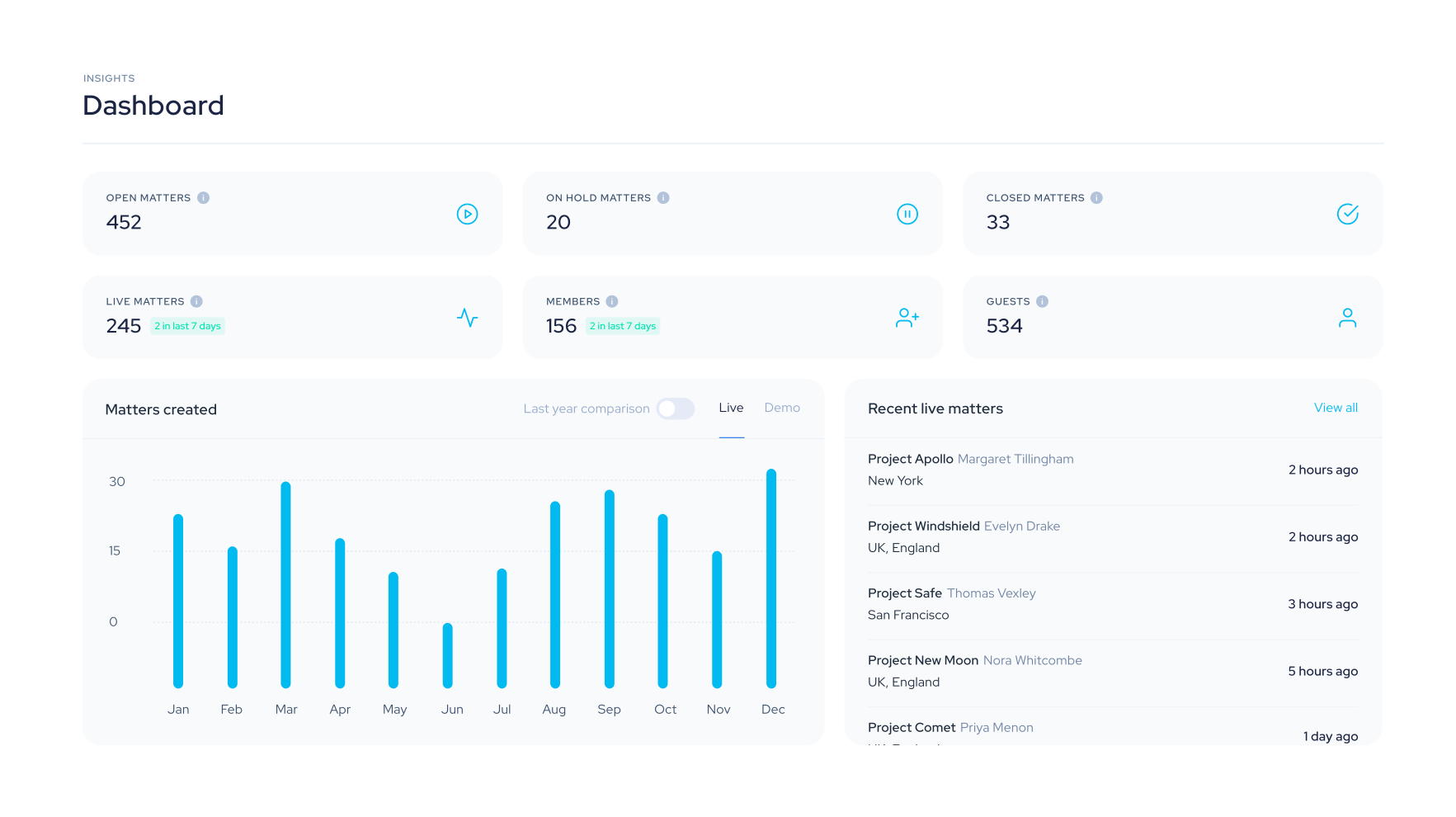
See the full picture
Dashboard snapshots show how many matters have been created and how many users have access to your environment.
Manage users from one place
Discover information about users and take actions on them — all from one convenient location.
Extract actionable insights
Pull reports on matters, lists, users and matter activity. Turn data into informed decisions.
Keep your firm data accurate
Set up and manage companies and offices. Maintain accurate records accessible firm wide.
Track admin activity
A comprehensive audit trail records every action performed by system administrators.
Configure integrations centrally
Connect SSO, iManage, NetDocuments and DocuSign from one place for a seamless user experience.
How it works
Admin access
Log into Legatics, click your profile and open the Admin System — your environment’s nerve centre.
Get visibility
See matters, users and activity at a glance. Extract reports for deeper analysis.
Take control
Manage users, configure integrations and adjust global settings — all from one system.
When to use the Admin System
Monitoring platform adoption
Track real-time statistics on matter and user activity to measure the success of your legaltech roll out.
Managing user access at scale
Maintain full control over who can access which matters, with the ability to deactivate users and manage permissions instantly.
Overseeing your firm's matter portfolio
View and manage all active matters from a single dashboard with complete visibility across your firm's transactions.
Demonstrating return on investment
Export detailed reports on matters, users and activity to build a clear, quantifiable picture of platform value.
Built for the people who keep legaltech running. See how the Legatics Admin System gives you the visibility and control you need—without the complexity.