

The Legatics MCP connector is live — giving any MCP-compatible AI assistants the ability to connect directly to live transaction data on Legatics, and answer real questions about real deals, grounded in the source of truth rather than a best guess.
This is the first concrete piece of what we’re calling transaction infrastructure for humans and AI: the same platform your lawyers already run deals on, your AI can now read from too.
What it does
The MCP connector follows the Model Context Protocol, an emerging standard developed by Anthropic and adopted by an expanding set of AI providers. When a lawyer asks their AI assistant a deal-specific question, the AI queries Legatics through the connector and answers from live data — actual matter status, actual signing progress, actual outstanding conditions.
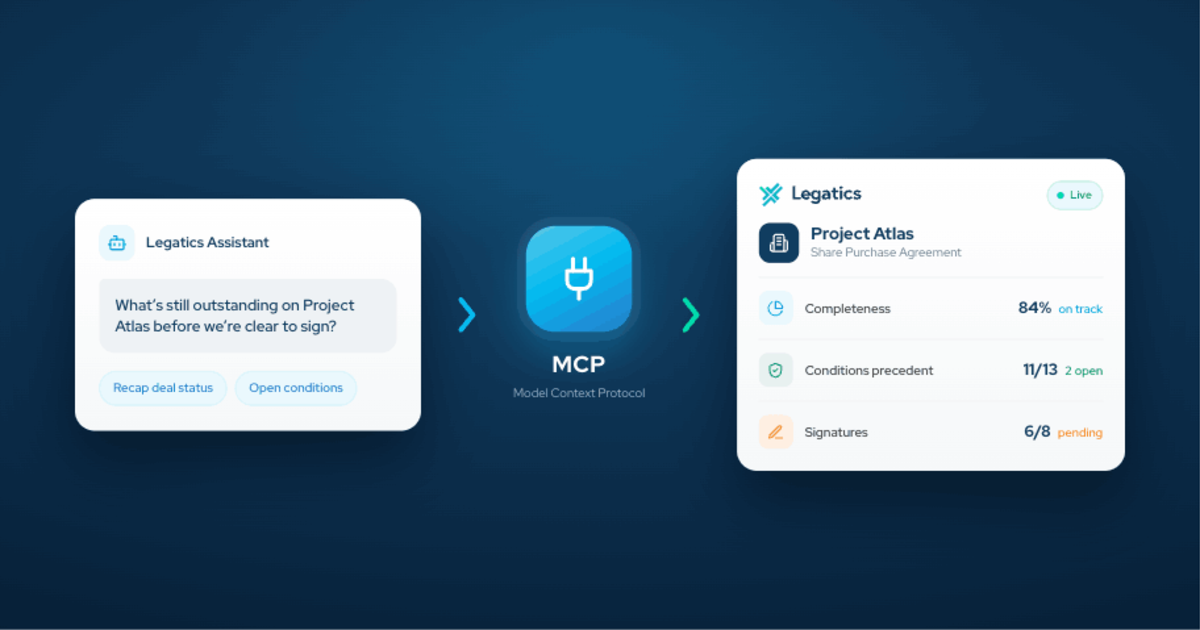
In practice, it looks like this. A lawyer asks: “What’s still outstanding on Project Atlas before we’re clear to sign?” The AI queries Legatics through the MCP connector and answers from the live checklist. The exact conditions that are open, who owns them and what’s needed to clear them. Not a guess. Not a training-data answer. Not something a trainee had to compile that morning.
Who it’s for
Partners and practice heads get AI that can answer real questions about real matters. Not summaries reconstructed from last week’s export, but live deal state, on demand.
Innovation and legal ops teams get AI that lives inside the workflows lawyers already use. Not a separate tool briefed by hand on every matter, but AI reading from the source and reporting back in seconds.
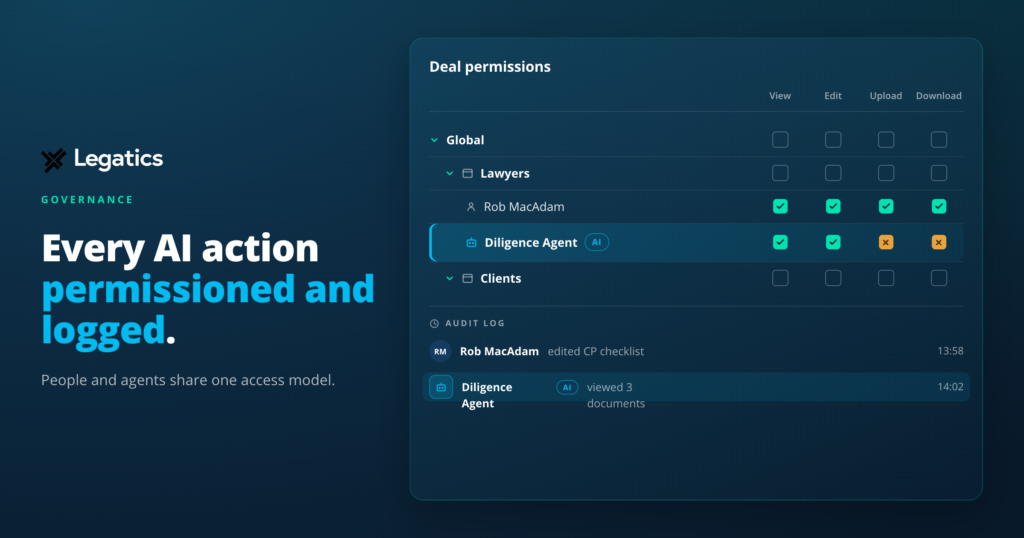
IT and security teams get AI access to transaction data that is scoped, auditable and revocable — governed the same way as any other enterprise integration. Not the opaque AI integrations where IT can’t see what the AI is accessing or easily revoke it, but security designed in from the start.
AI providers building tools for law firms get structured transaction context to ground their AI. Not general legal knowledge that stops short of the specific deal, but Legatics as the transaction layer — workflow, status, accountability, task ownership — accessed live, structured and secure.
Why we’ve launched it now
Our whitepaper, The connected law firm, argues that the bottleneck for AI in law firms is not model quality. It’s what the model can see and what the model can do. AI tools that sit next to legal work but can’t reach into it hit a ceiling quickly. Deal-specific questions need deal-specific context, and that context lives in Legatics.
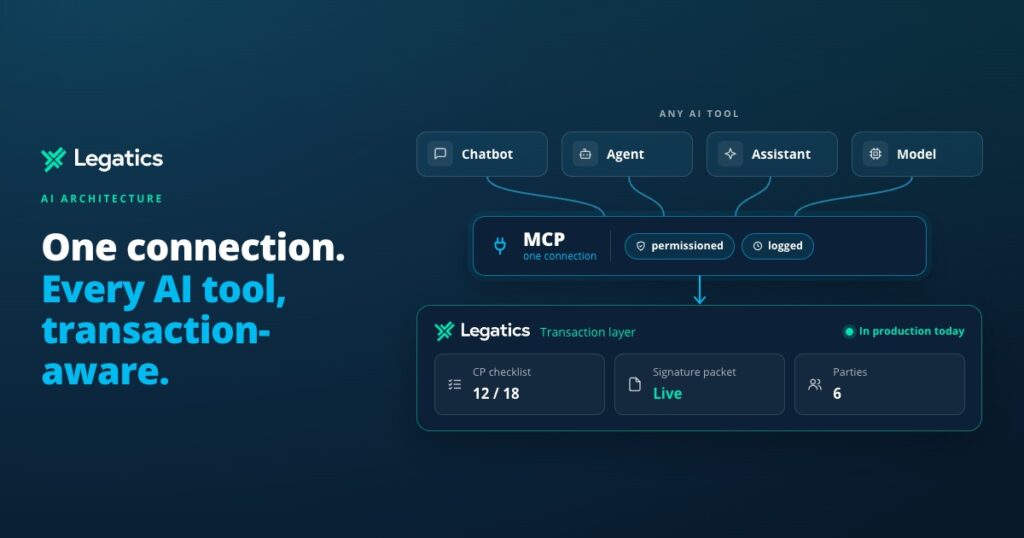
The MCP connector is our answer to that. It’s the layer that lets AI reach into live deal data through a standards-based, enterprise-grade connection. And because MCP is a standard rather than a proprietary integration, it works with whichever AI your firm has chosen, is evaluating, or will choose later, meaning that your firm is not locked into any one provider.
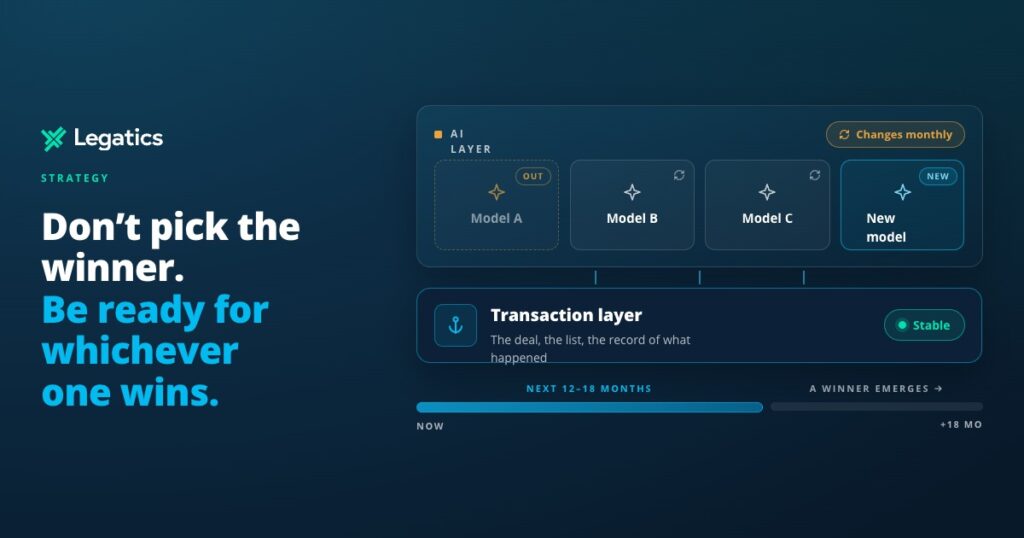
Zoom out and it’s the same choice at the level of your whole tech stack: don’t bet on which AI wins, make sure your transaction layer is ready for whichever one you pick. That’s what we mean by transaction infrastructure for humans and AI — the layer that works whichever AI wins, because it was never competing with any of them to begin with.
That last point matters. Firms are being asked to make AI decisions faster than the market is settling. Committing to a proprietary integration with one AI vendor is a hard bet to place right now. Committing to a standards-based connection that works with any MCP-compatible AI is not. That’s the choice the connector makes available.
Security and control, built in
Access is authorised through the Legatics admin system using OAuth 2.0 with PKCE — the same architecture as the Legatics API. Scoped permissions, short-lived tokens, user-level permissioning and full audit logging are all built in. Firms can revoke any AI tool’s access at any time. This is not security bolted onto an integration after the fact. It’s how the connector is designed.
What happens next
The initial release provides read access. Write capabilities are on the roadmap coming soon — letting AI progress deal items in Legatics, not just report on them. When that lands, the same architecture that grounds AI in deal context will let AI operate on that context, safely, under firm control.
Available today, included for all customers
The MCP connector is included for all Legatics customers at no additional cost. If you’d like to see what it looks like in practice for your firm, speak to your Legatics contact.