

Legatics for Harvey. Your AI. Your deals. Live.
Bring live transaction data from Legatics into Harvey, giving lawyers the context they need to understand deal progress, identify outstanding actions and make more informed decisions.
Your AI needed somewhere to go. Now it has.
Harvey can now answer questions about your live transactions in Legatics. Ask where a deal stands, what is outstanding, who is responsible or who the parties are, and Harvey answers from the matter itself rather than from an uploaded, out of date export.
Harvey is the brain. Legatics is the body. Harvey reasons, drafts and answers; Legatics holds the live state of every deal your firm is running. The Legatics connector in Harvey’s Connector Library joins the two, within the permissions and controls your firm already has in place.
- Why it matters
Your AI needs more than documents
Harvey helps lawyers review draft and analyze documents. But understanding a transaction requires more than the documents themselves.
What’s outstanding? Who’s responsible? What’s been signed? What’s changed?
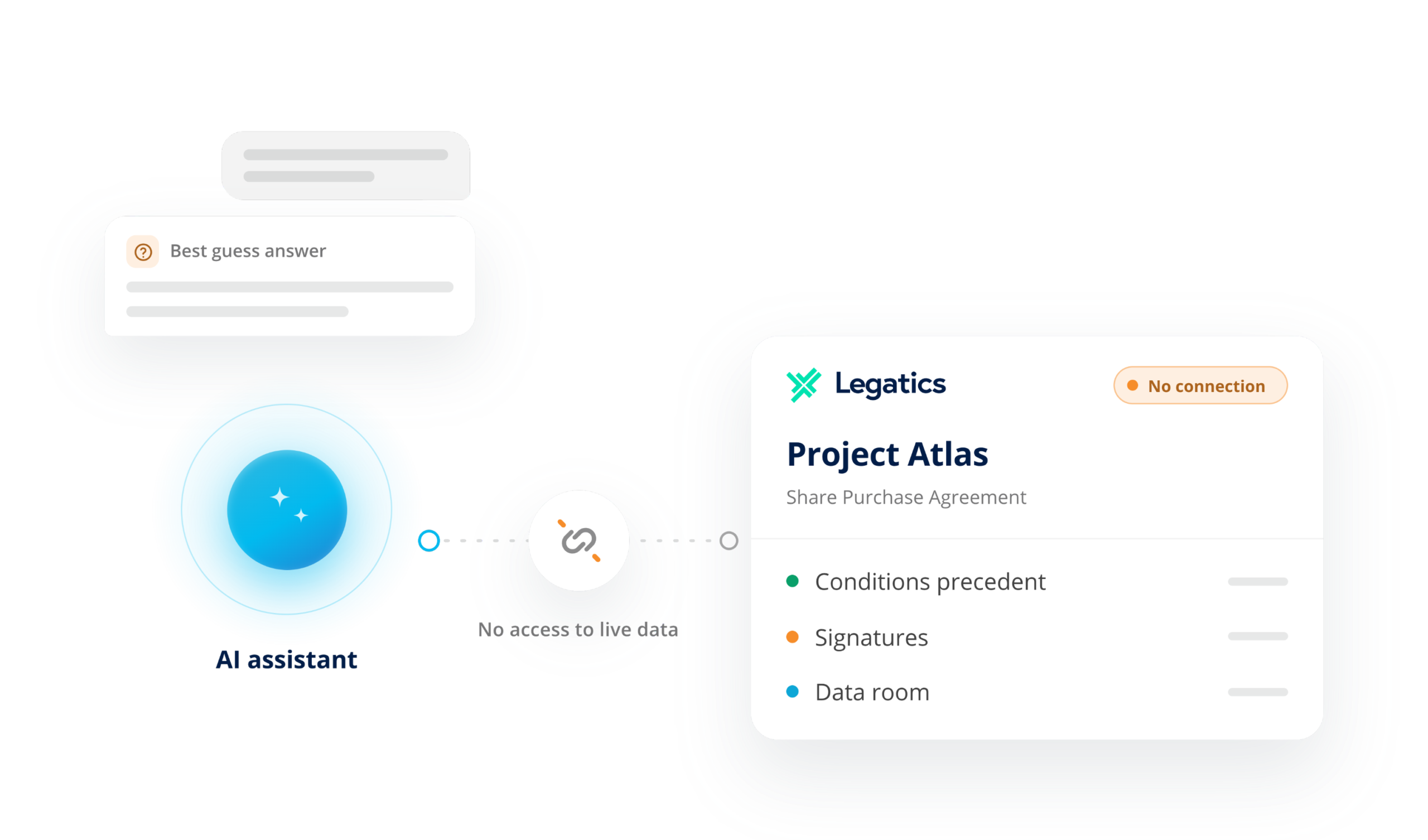
Legatics holds the live state of the deal. Connecting it to Harvey brings that context directly into lawyers’ AI workflows, with answers grounded in the transaction record rather than static exports.
In practice
Associate
“What is stil outstanding on Project Atlas, and who owns each item?”
Senior Associate
“Which of my matters have items overdue or due this week?”
Partner
“Give me a plain English status update on Project Atlas before my client call.”
Trainee or Paralegal
“Draft this week’s status email from the live checklist.”
Lawyer drafting in Harvey
“Who are the parties and signatories on the Orion SPA?”
Legal Ops or Innovation Lead
One place for lawyers to ask about deal status, read from your system of record, with no new data store to govern.
A read-only view of the matters the connecting user can already see
What Harvey can see:
Status, deal type, parties and roles, metadata
What Harvey can see:
Sections, rows, assignments, comments and status across CP checklists, closing checklists, document lists and other lists in the matter
What Harvey can see:
Closing set structure, document references and metadata
What Harvey can see:
Folder structure and file names
How it works
[01]
Authorize
Your Legatics system administrator registers Harvey as a connected app in the Legatics Admin System.
[02]
Scope
The administrator decides what Harvey may request. Each user connects their own account and approves access.
[03]
Query
Harvey retrieves the answer from Legatics in real time, as that user and within that user’s permissions
[04]
Audit
Every request is logged. Access can be revoked for the firm or a single user at any time. Setup takes minutes once the connected app exists.
Secure by design
OAuth 2.0 with PKCE
The same security architecture as the Legatics API: short-lived tokens and no static keys.
User permissions
Current matter status and metadata. Instant answers about where things stand.
Stateless, in region
The connector stores nothing and runs in your Legatics region on AWS, with no cross-region data path.
Tested
Independently penetration tested. Legatics does not use customer data to train AI models.
FAQ
Which teams is it for?
Any deal team running matters in Legatics, including corporate M&A, private equity, banking and finance, real estate, funds and capital markets.
Can Harvey look across several matters at once?
Yes. Ask which of your matters have overdue items or items due this week, and Harvey checks every matter you can see.
Can Harvey draft from a live checklist?
Yes. Ask for a weekly status email, a client update or a closing agenda, and Harvey builds it from the current list, so nothing is retyped or out of date.
Can it help me check a draft?
Yes. While drafting in Harvey, ask who the parties are and check the draft reflects the current deal structure.
Who sets it up?
Your Legatics system administrator creates a connected app for Harvey and chooses its scopes. Each user then connects their own account from Harvey. There is no shared or service account.
Can Harvey see anything I cannot see in Legatics?
No. Every request runs as the user who connected and is bound by their existing Legatics permissions.
Does the Harvey connection support write actions, or is it read-only?
The connection is currently read-only, with write actions (creating matters, lists, data rooms and binders, and updating participants) to follow once Harvey completes its security review.
Legatics is the transaction infrastructure your firm’s AI can use
Whichever AI tools your firm chooses, the MCP connector gives them live, secure access to the deal data they need to be useful.