Law firms around the world are using Legatics to improve their legal transactions
Manage more than just the closing of your transaction
With your transaction in Legatics, you’ll always know the status of all stages of your transactions, not just the closing.
Lists
Give transaction management a dedicated space
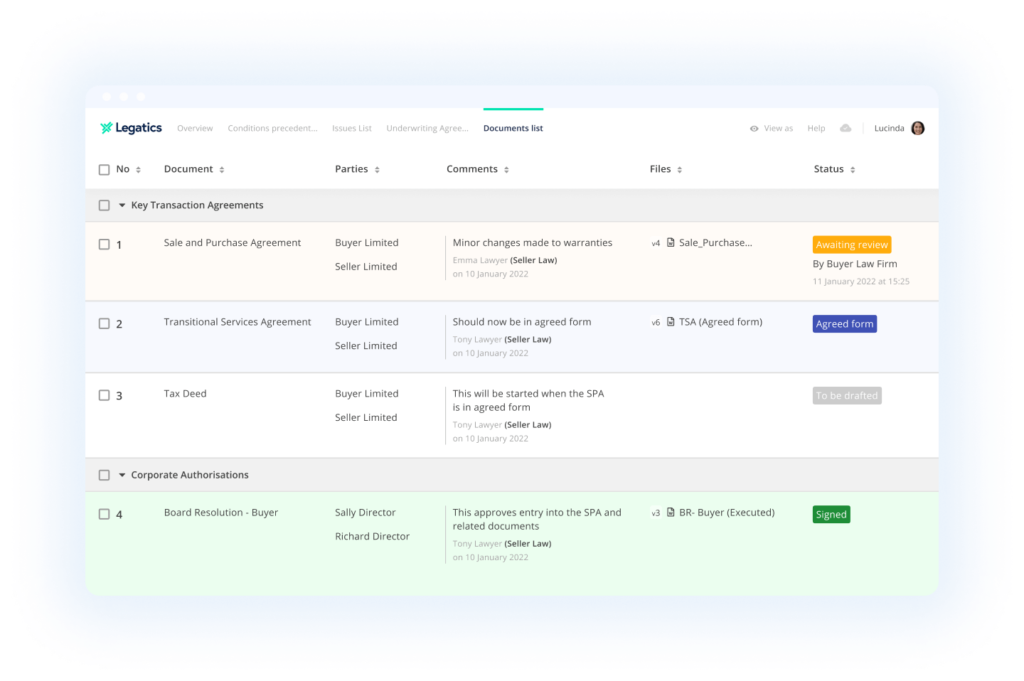
Our digital lists give you the tools needed to manage your documents, actions, statuses, and comments in one place.
Multiple use cases
Our digital lists can be adapted for every use case, and every practice area.
Create as many as you need
We know that one list isn’t enough to run a transaction – that’s why you can create as many as you need.
Signing management
Accelerate your closings
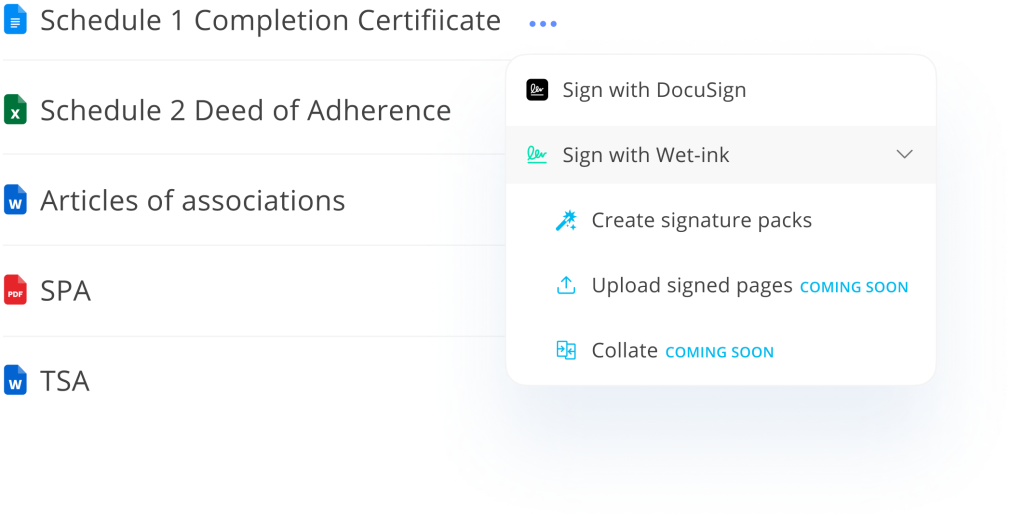
Say goodbye to manually extracting signature pages and a disconnected DocuSign experience.
Wet-ink signing
Create signature packs in minutes not hours and track signing status.
DocuSign signing
Send documents directly to DocuSign and track their progress from your list.
Document management
Informative document management
Store your documents where everyone can find them
(and see more than just file size).
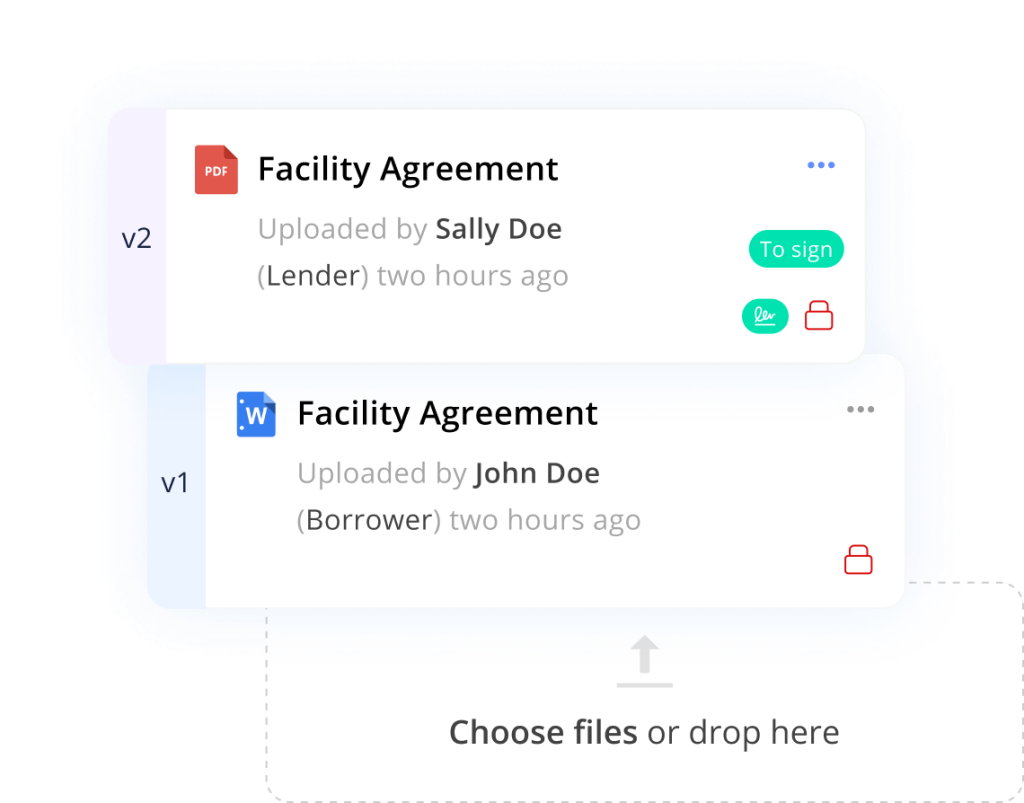
Version control
Easily identify who uploaded the latest version of your documents – and when.
Automatic actions
Use pre-built rules to get to closing quicker.
Closing sets
Closing sets in minutes, not hours
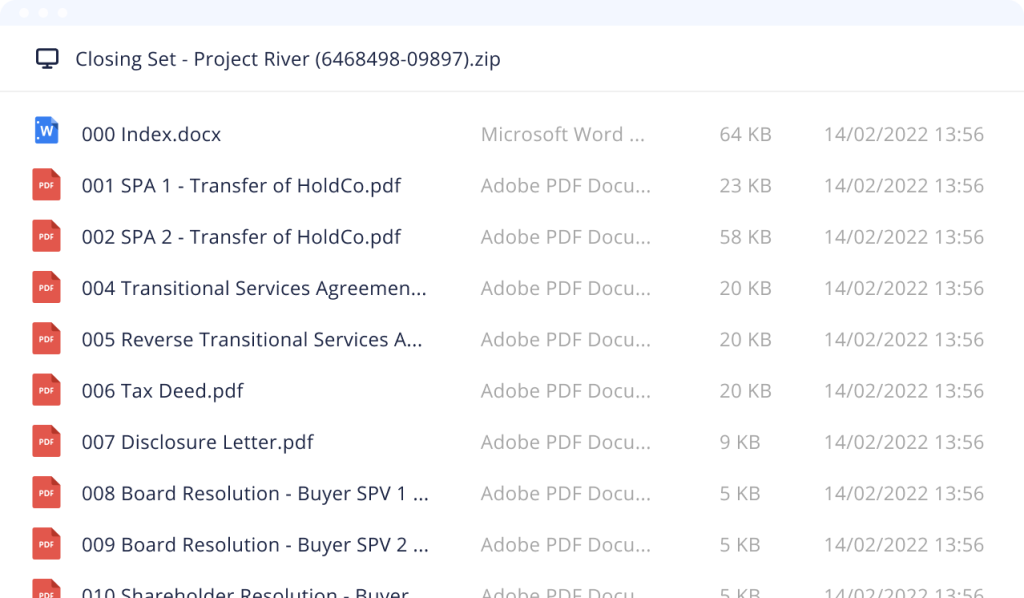
Create custom closing sets with a click of a button, so you can spend more time focusing on the next transaction.
Branded Word index
Our custom downloads make it easier to keep your lawyers on-brand.
Indexed and hyperlinked
Because this isn’t work that your lawyers should be focusing on.
Dashboard
See the big picture
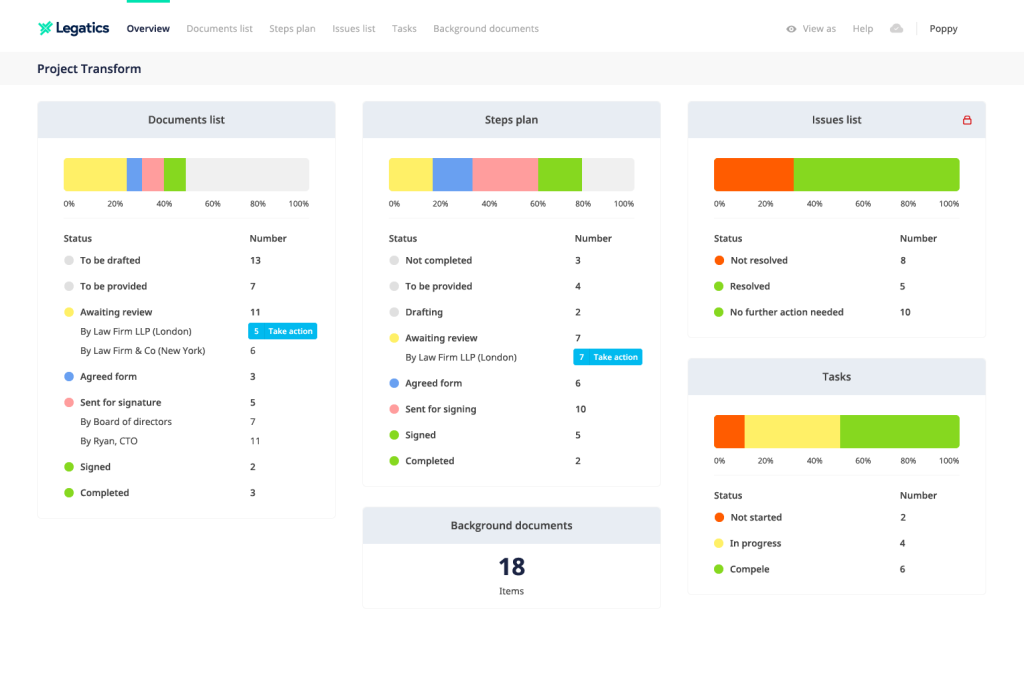
Get real-time insight into the progress of the deal and each list. Quickly see the actions you need to perform and keep work on track – all in one place.
Quickly take action
Our dashboard helps everyone quickly see what they need to do, and to take action to keep the transaction moving.
Automatically created
You have better things to do than manually create dashboards. That’s why ours are automatically created for every list.
Dashboard
Get your list started faster
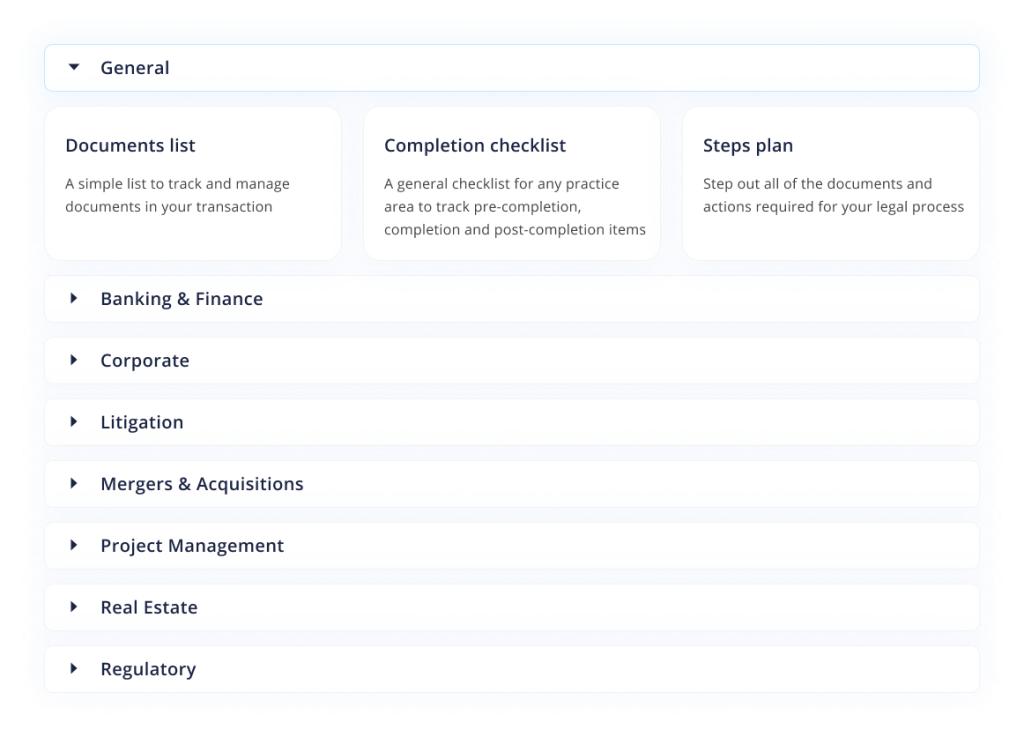
With 40+ ready-made templates to choose from, you can use Legatics for every practice area.
Customisable
Once created, customise your templates to fit your own style
Start from another list
Start from another list
Created the perfect list? Simply start from that list again the next time you want to use it!
Data import
Transform your data
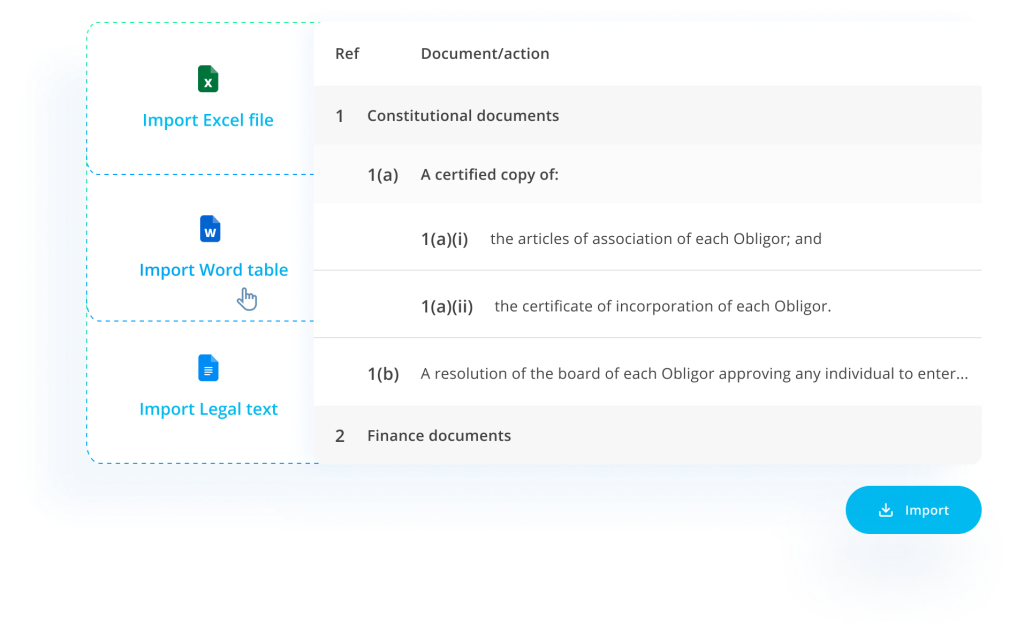
With our import tool, you can import data from a variety of sources, making it quick and easy to get started with Legatics.
Word tables
Transform tables from Word documents into Legatics lists.
Excel sheets
Convert your static Excel files into dynamic Legatics lists.
Legal text
Reformat free-form legal text into structured rows and columns.
Admin System
Transform your data
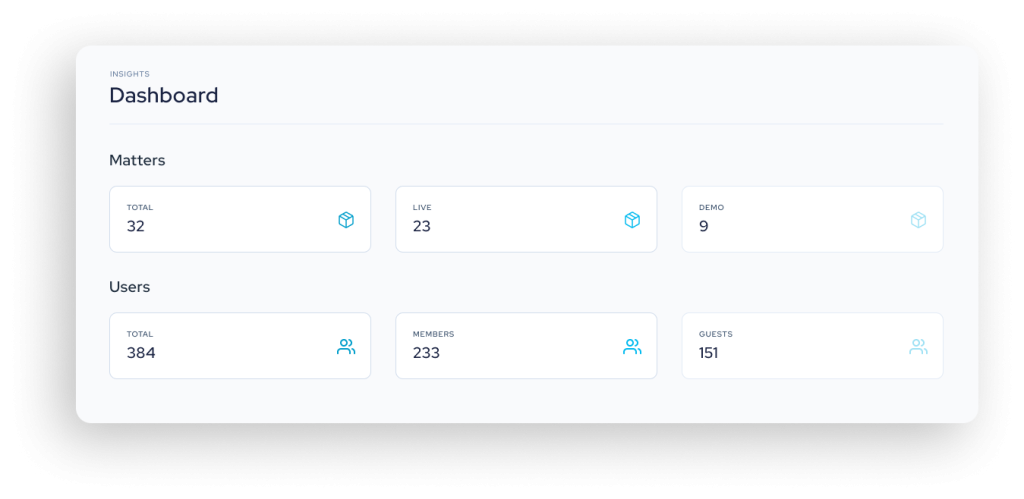
Download reports to measure the success of adoption, view and manage matters, and control user access.
Export data in JSON or CSV format
Extract valuable details about your matters, users, lists and activities in just one click.
Manage matters and users
Deactivate user access to matters and stay on top of any irregular activities.
Word downloads
Stay on brand
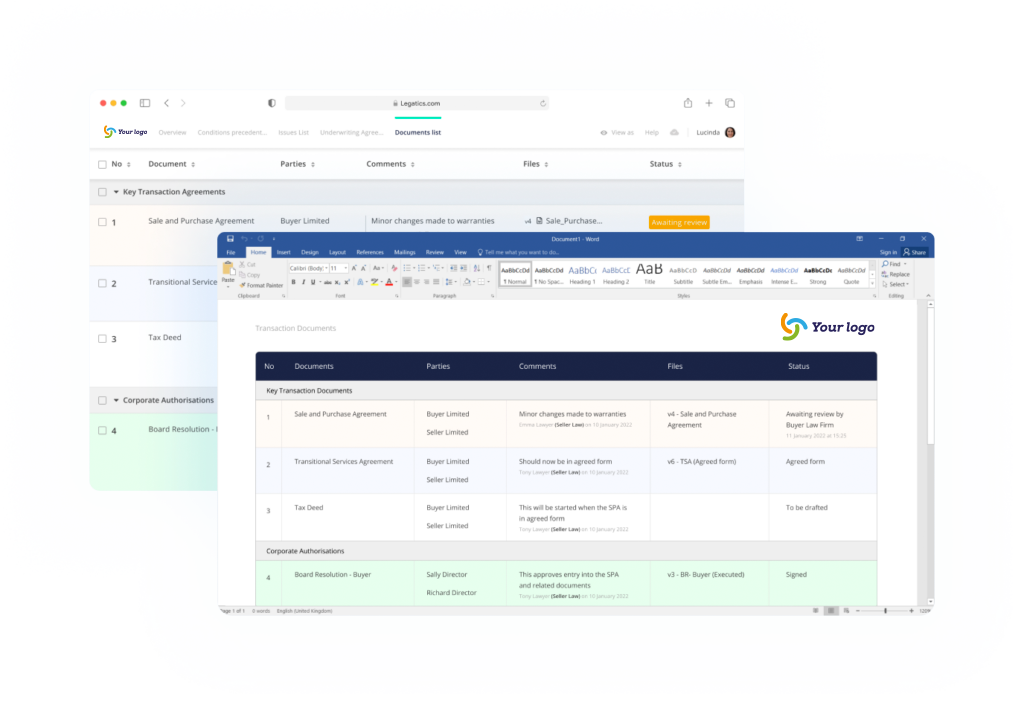
We get that your brand is important. That’s why every list can be downloaded into a branded (and perfectly formatted) Word document.
Perfect for sharing with clients, partners and everyone else who needs to quickly see the progress of your deal.
Portrait or landscape
Download Word documents in your orientation.
Download everything, or just what you need
Need to download just a section of the list? Or a filtered view? No problem. We can handle that.
Permissions
Control your transaction
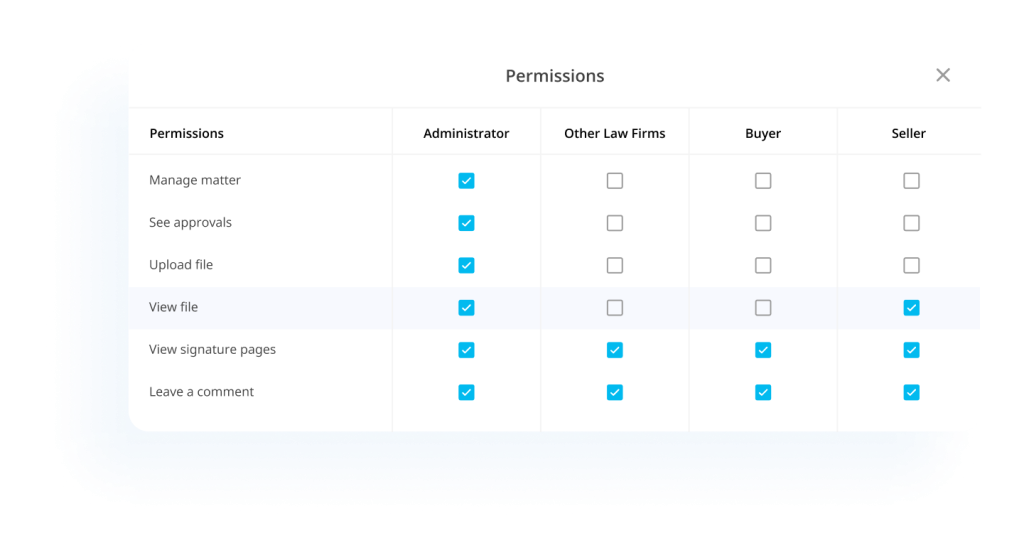
Control content and document access at the list, section, row, column or document level. You can also customise permissions based on user roles.
Document access
Working on a complex list and need to control document access? No problem, with our permissions you can hide documents in a list from other participants.
View as another user
Easily see what Legatics looks like to another user and confirm that your permissions are correctly applied.
Audit trail
Monitor your transaction
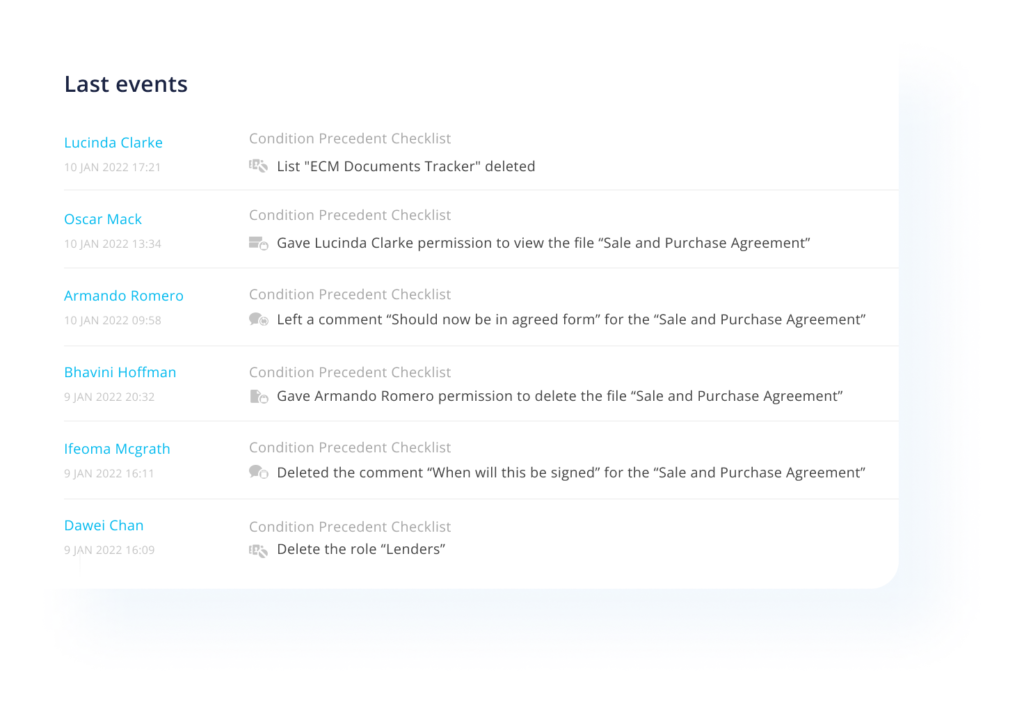
Stay focused on the transaction and let our audit trail automatically record who did what, and when.
Integrations
Seamlessly integrate all of
your critical applications
Try Legatics today
If you use Word to manage your transactions, you can use Legatics. Using Legatics is that simple.